RNG RollAttacks How to Redeem Codes
Be ready for the first real promo — without phishing traps.
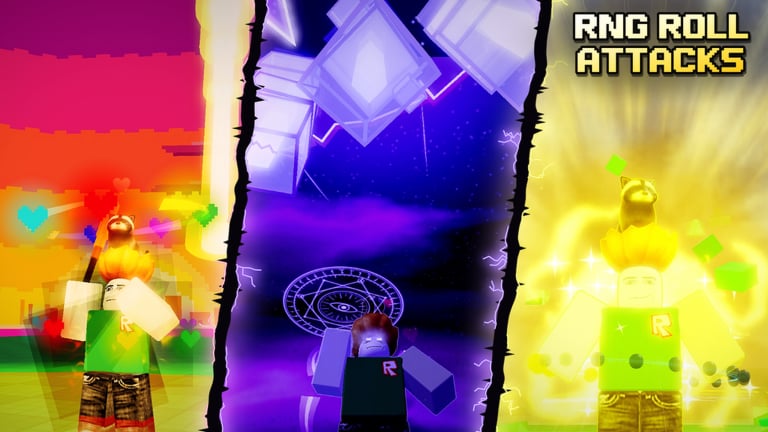
Redeeming a promo code in RNG RollAttacks should be a short, in-game action — not a scavenger hunt across Discord servers, survey walls, or executor “key” pages. This guide explains how to prepare for codes on place 119338513416973, what the redeem UI typically looks like in Roblox battlegrounds / RNG fighters, and how to stay safe while the game still has no verified active codes as of late November 2026.
If you only came here for a working list, open the Codes Hub first. That page stays empty until a string is confirmed. This page teaches the process so you do not scramble when an (UPD) finally ships a gift.
Before you redeem anything
- Confirm the experience — You must be inside RNG RollAttacks by Giggle Group Media, place ID 119338513416973, universe 10768634654. Clone places and “private servers” advertised in comments are common phishing bait. See Official Channels.
- Use a normal Roblox client — Desktop or mobile Roblox is enough. You do not need an executor, injector, or third-party launcher to redeem a legitimate promo.
- Know the current status — Late November 2026 still shows zero verified codes. Practicing the UI is fine; pasting rumor strings from blogs is optional and usually fails.
- Protect your account — Enable 2FA on Roblox. Never type your password into a “code redeem website.” Codes belong in the game, not in a browser form that asks for your login.
Where the redeem UI usually lives
Roblox RNG and battlegrounds games commonly place codes behind one of these patterns:
- A Codes, Shop, Rewards, or Gift button on the main HUD
- A tab inside the Settings or Menu panel
- An NPC or billboard near the lobby spawn that opens a text field
- A Twitter / social gift panel that still opens an in-game box (the string is redeemed in Roblox, not on the social site)
Because developers can move UI after an (UPD NOW) or wrench maintenance title, treat the list above as a search order, not a permanent map. After large patches, re-check the lobby buttons before assuming the old path.
Practical search order in a session
- Spawn into a public server (up to 23 players) and wait for the HUD to finish loading.
- Open every obvious menu icon once — shop, inventory, quests, settings.
- Look for a text field labeled Code, Redeem, or Promo.
- If nothing appears, skim the latest notes on Updates and Maintenance Status in case the redeem feature is disabled during a push.
How to enter a code correctly
When a real code exists and the field is open:
- Copy the string from a trusted announcement — do not retype from memory if the code mixes letters and numbers.
- Paste into the in-game field. Respect case sensitivity and avoid leading/trailing spaces.
- Submit once and read the feedback toast or dialog.
- Check inventory, currency, luck, or mail for the reward before rolling away.
- If it fails, wait a minute, rejoin once, and try again — do not spam twenty variants from a rumor table.
Do not invent drop rates for code rewards. If the developers say “free luck boost” without a number, document the wording; do not invent percentages.
What success and failure usually look like
- Success — Clear confirmation text and a visible grant (currency, item, boost). Note what you received for your own records.
- Already redeemed — Many promos are once per account. That is expected, not a bug.
- Expired / invalid — Stop. Cross-check the Codes Hub. Do not chase alternate spellings from clickbait thumbnails.
- No field at all — Either codes are not live yet (current late-Nov 2026 state) or the UI moved. Prefer patience over third-party “auto redeem” tools.
Safety rules that never change
- No loadstrings for codes — Scripts that claim to auto-redeem while injecting other features are a different risk category. Read Scripts and Executor Risks.
- No Discord “verify to unlock codes” bots that ask for token-like prompts, email, or password. Official group 114675122 is for shouts and roles — not for handing your account to strangers. Pair with Trello & Discord Status.
- No “Admin Killer code” or “Owner Killer code” sales — those are badges earned in play (including secret Admin Killer), not promo strings you buy from a stranger.
- Flashing images — The Roblox listing warns about flashing images. Lower VFX if redeem screens or reward popups bother you.
After you redeem (when codes exist)
Spend temporary rewards with intention:
- Bank money toward permanent luck and traits instead of cosmetics first
- Keep questing on the normal 30-minute cadence (or 15 with the Fast Quests pass at 175 Robux)
- Return to Getting Started if you are still learning the roll → fight loop
- Track kill and quest badges under Players rather than expecting codes to finish Storm Breaker for you
Optional passes (Faster roll 275, more money 250, Fast Quests 175) remain separate purchases. Codes never replace them.
Related reading
- Codes Hub — live verified status (currently none)
- November 2026 — ability count and visit growth context
- Official Channels — place and group verification
- Wiki Map — full navigation
Stay ready, stay skeptical, and only redeem inside the real game.
Frequently Asked Questions
Quick answers to the most common questions.
Where is the codes button in RNG RollAttacks?
Look in the lobby HUD menus — Shop, Rewards, Settings, or a Codes/Gift panel. Developers can move it after (UPD) pushes, so re-check after maintenance titles clear.
Do I need a script or Discord key to redeem?
No. Legitimate promo codes redeem inside Roblox. Anything that demands an executor key, survey, or password is a red flag — see Executor Risks.
Can I redeem codes on mobile?
Yes, if the in-game UI exposes the field. Use the official Roblox mobile app on the correct place ID; avoid browser lookalikes.
What if every rumor code fails?
That matches late November 2026 reality: no verified promos. Failed rumor strings do not mean your account is broken.
Are badge names secret codes?
No. Storm Breaker, kill milestones, quest badges, Owner Killer, and Admin Killer are achievements, not redeemable promo strings.